 Features / Collaboration
Bizby Feedback System
Overview
Section titled “Overview”The Bizby Feedback System makes it easy to share your thoughts, report issues, and request new features without leaving the platform. Located directly in the dashboard header or on the board tools menu (on a live board), the feedback button provides a simple way to communicate your experience with Bizby. All feedback is stored securely and reviewed by the Bizby team.
Key Features
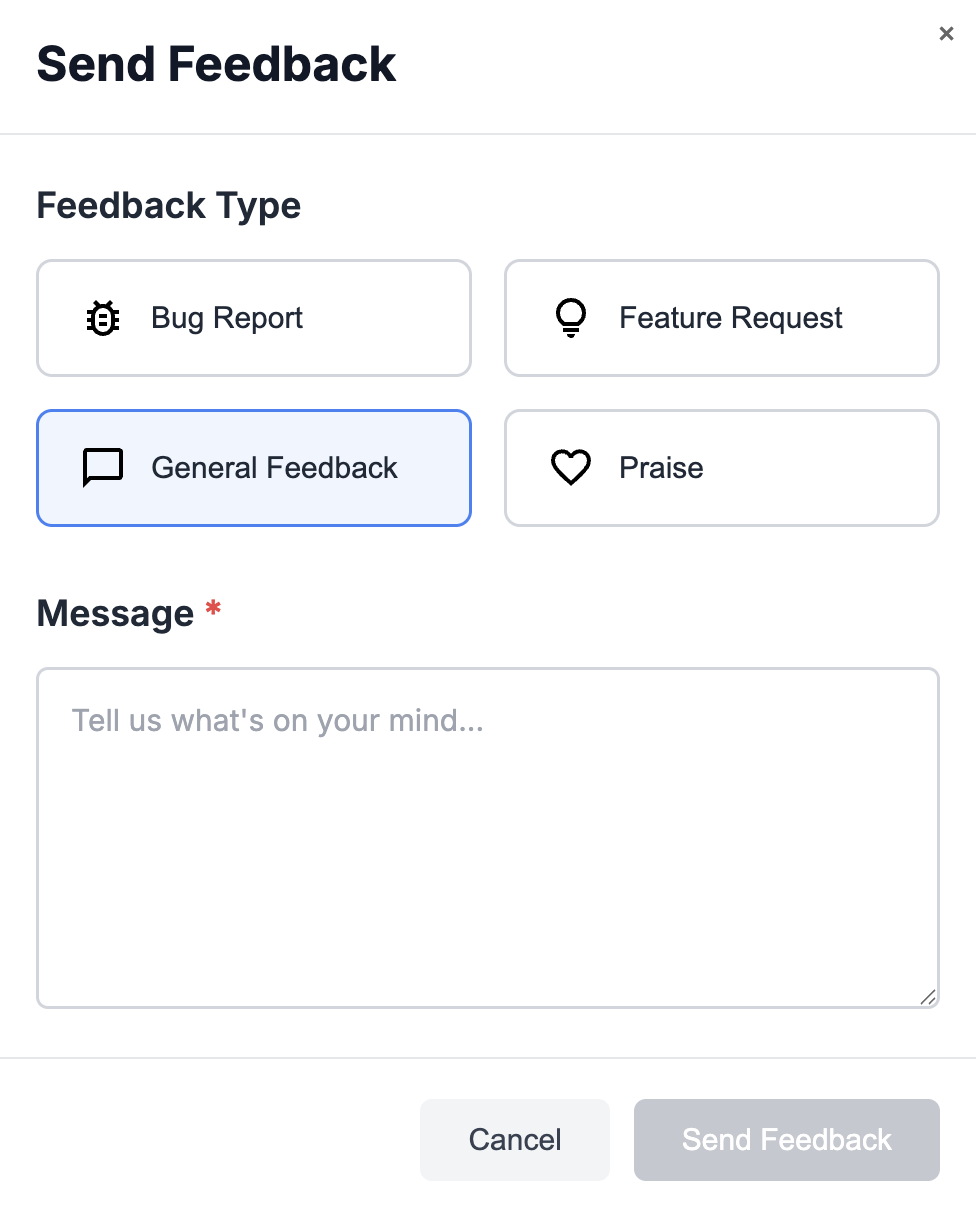
Section titled “Key Features”- Four Feedback Types - Bug reports, feature requests, general feedback, and praise
- One-Click Access - Feedback button integrated into the dashboard header
- Quick and Easy - Submit feedback in seconds without leaving your workspace
- Secure - Your feedback is stored securely and only visible to the Bizby team
How to Use
Section titled “How to Use”- Click the Feedback button in the dashboard header or on the board tools menu
- Select your feedback type:
- Bug Report - Report issues or unexpected behavior
- Feature Request - Suggest new features or improvements
- General Feedback - Share general thoughts or comments
- Praise - Let us know what you love
- Type your message in the text field
- Click Submit
Your feedback is instantly sent to the Bizby team for review.
Use Cases
Section titled “Use Cases”Report Bugs
Section titled “Report Bugs”Encounter an issue while working on your boards? Quickly submit a bug report with details about what happened. Your feedback helps us identify and fix problems faster.
Request Features
Section titled “Request Features”Have an idea for a new feature or improvement? Share it directly with the Bizby team. Your suggestions help shape the future of the platform.
Share What You Love
Section titled “Share What You Love”Let us know what’s working well! Praise feedback helps us understand what features and capabilities matter most to you.
General Thoughts
Section titled “General Thoughts”Use the general feedback option for anything that doesn’t fit the other categories - questions, suggestions, or any thoughts about your Bizby experience.
Tips for Great Feedback
Section titled “Tips for Great Feedback”Related Features
Section titled “Related Features”- Feature Overview - See all Bizby features