September 2026 Newsletter
Hello from the Bizby team! Our busiest month yet. Stamps give your team a one-click way to react on the canvas, Kickstart turns a blank board into a working one from a sentence, and FigJam Import brings boards over from Figma with their connectors intact.
Stamp any emoji onto the board. Pick one, then keep clicking to place as many as you like.
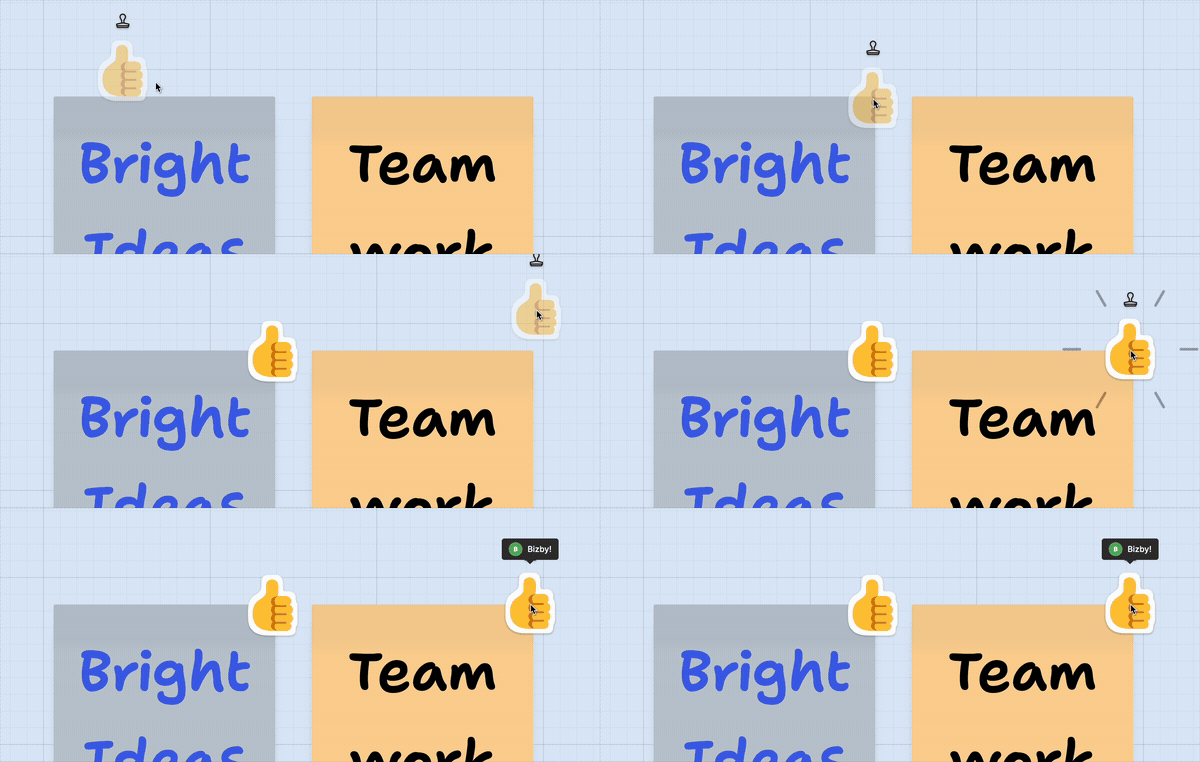
Pin the Stamp tool from the toolbar’s + picker, pick an emoji, and click. The tool stays active, so a row of reactions takes seconds. Hover any stamp to see who placed it.
Tip: Stamps are voting without setting up a vote. Drop 👍 on the strongest ideas, or mark retro items with ✅, ❓, and 🔥.
Our biggest AI release yet. Open a new board and the Kickstart panel greets you, ready to turn a blank canvas into a working board in seconds.
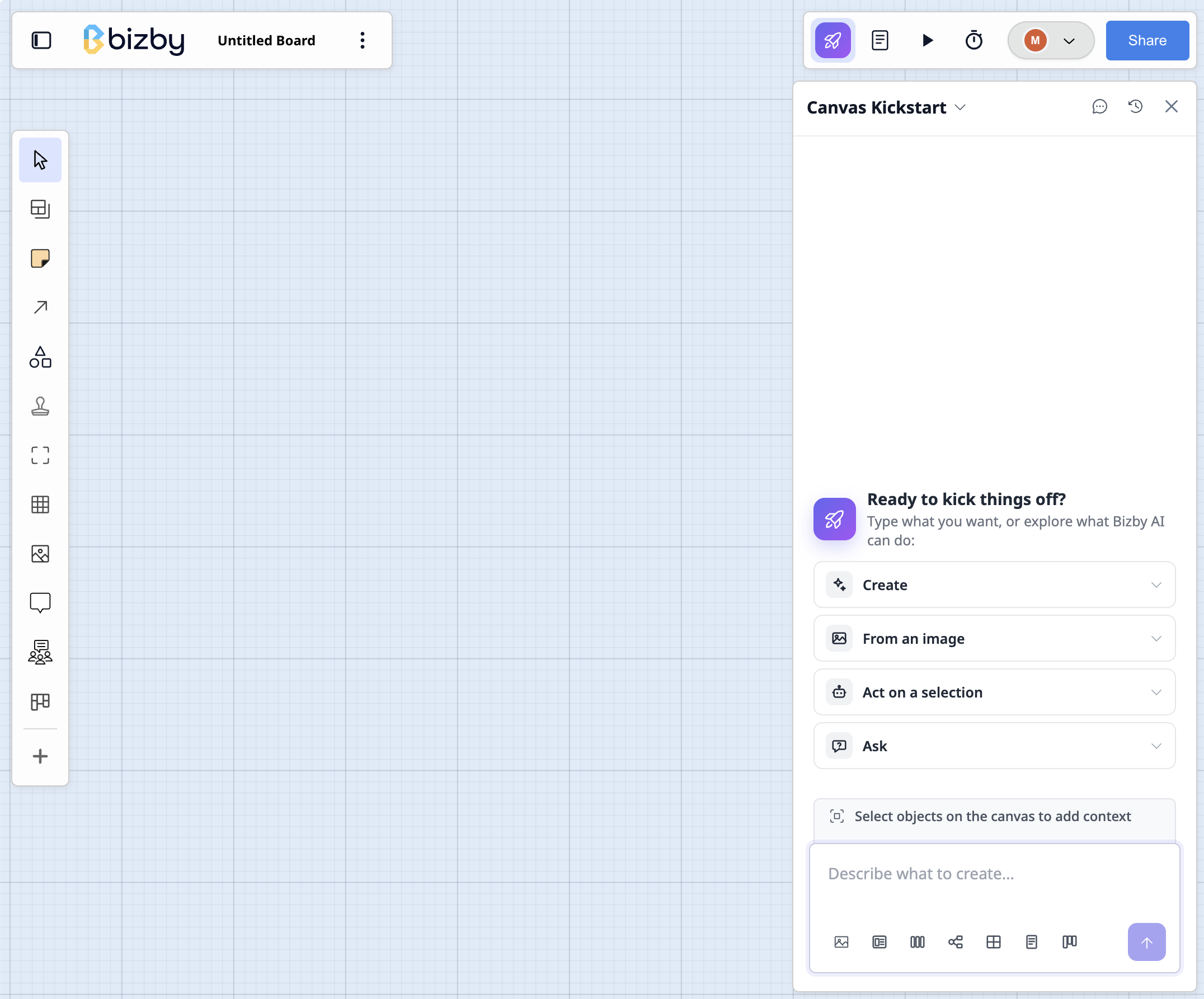
Describe what you are planning, something like “Sprint retrospective for a mobile team”, and Kickstart’s AI lays out a board with the right shapes, columns, and connections already in place. It is all native Bizby content, so you edit it like anything else. Or let Kickstart drop in a popular template.
Also new: Suggestions are now grouped into Create, From an image, Act on a selection, and Ask. Select a grid and choose Summarize for an editable recap beside it.
Move a FigJam board into Bizby without rebuilding it. Sections, sticky notes, text, shapes, connectors, lines, and images all come across.
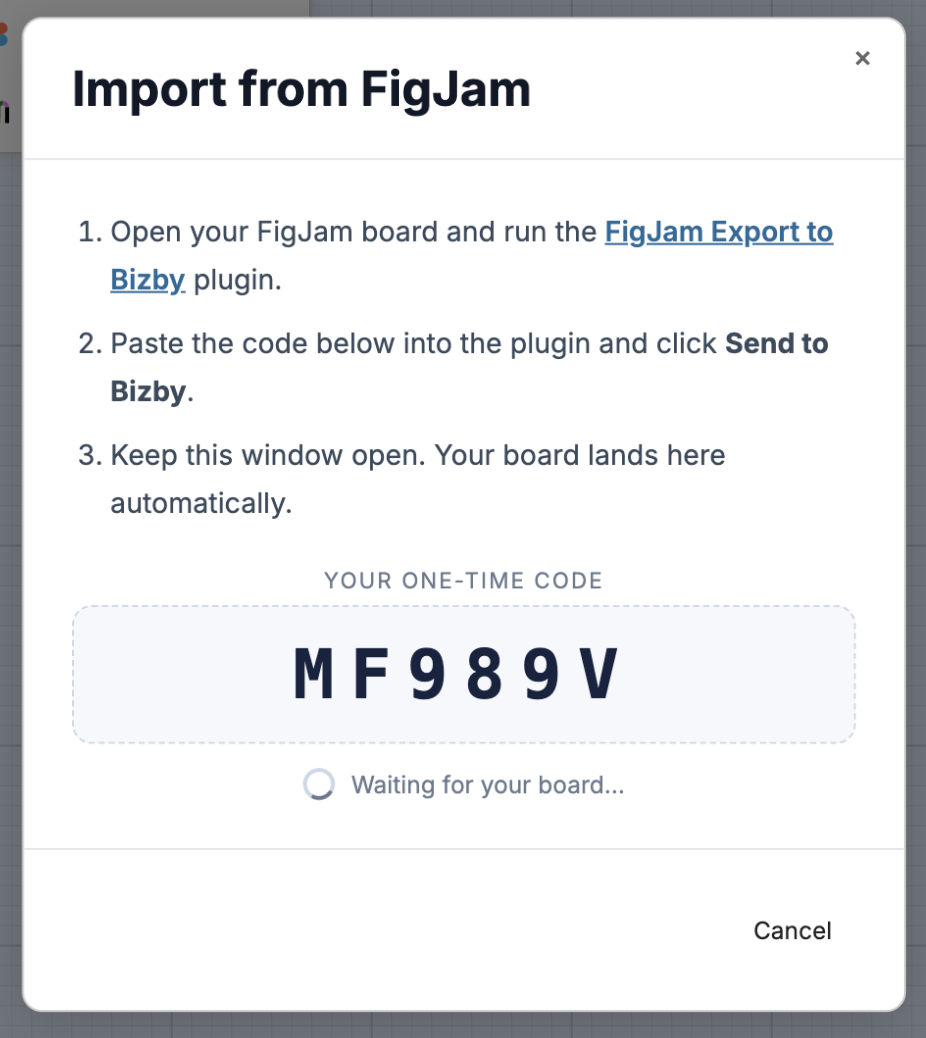
FigJam has no public board API, so Bizby imports through the free FigJam Export to Bizby plugin on the Figma Community. Running inside FigJam, it sees the full board data, which is why connectors arrive intact. Open Board → Import from → FigJam board (Beta), paste the one-time code into the plugin, and your board streams in.
Tip: Beta for now. Import into an empty board the first time so you can see what came across before merging it into live work.
Also this month: Content Widgets, where you design a frame, document, or planner once on the Content Widget Canvas, publish it to your team’s Widget library, and every board using it updates when you update the source. A redesigned Templates Gallery you can search, filter by category, and sort, with author, likes, and usage on every card and a bigger in-app picker that lets you like templates and collect them in a Liked Templates sidebar. Plus a speech bubble shape with a tail you can point and widen, even grid resizing when you drag a divider, uniform scaling on multi-select, dashboard search and filter tabs, and a version dot on your profile avatar when there is something new.
See all monthly issues in the Newsletter archive, or browse the full release timeline in What’s New.