 Features / Collaboration
Emoji Stamps
Overview
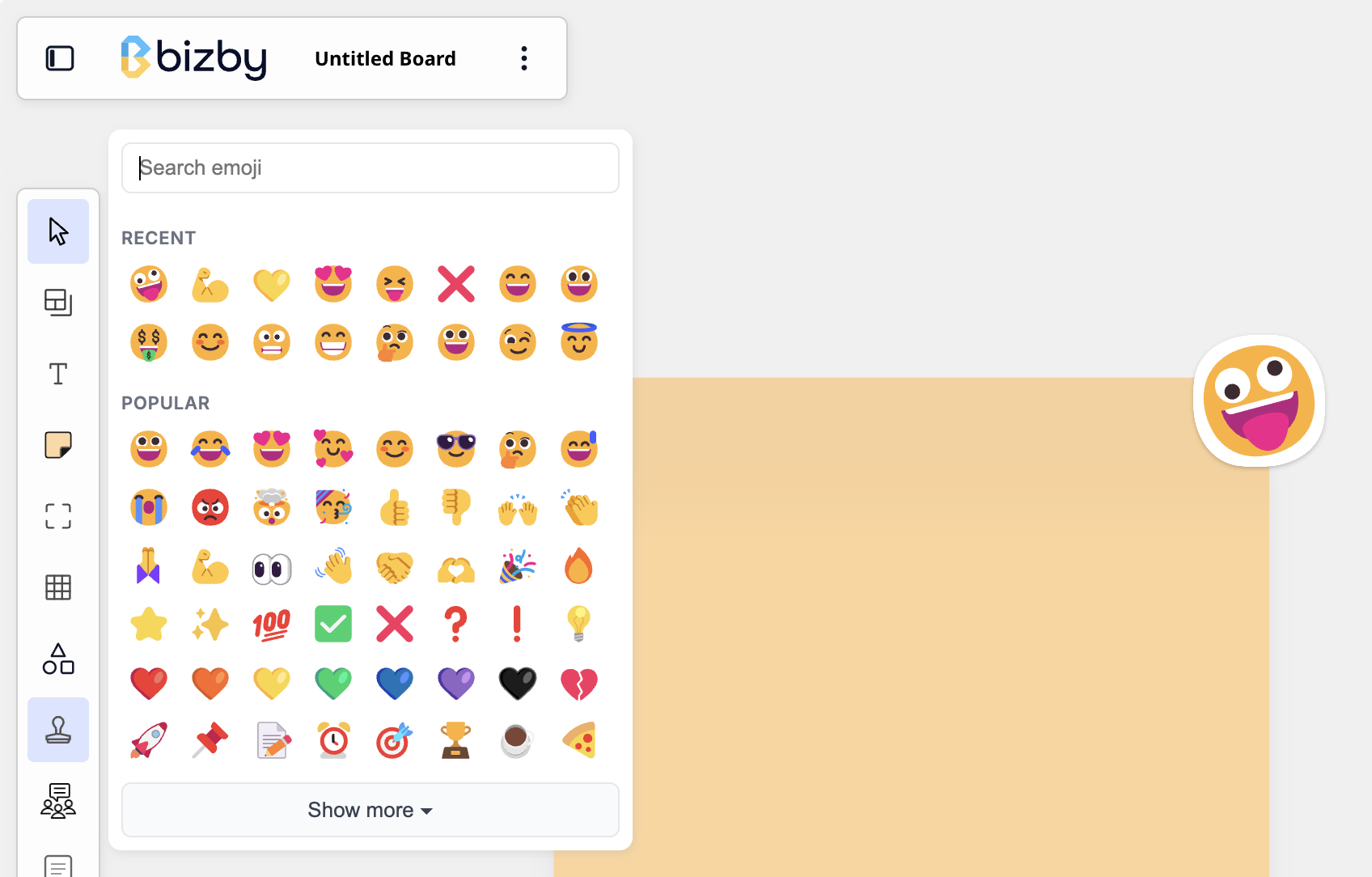
Section titled “Overview”Stamps let you drop any emoji onto the board as a sticker. Use them for quick reactions, lightweight voting, heat maps, or just to add personality. Pick an emoji once and keep clicking to place as many as you like.
Key Features
Section titled “Key Features”- Every emoji — Search the full emoji set, or pick from Recent and Popular
- Click to stamp — The tool stays active, so you can place several in a row
- Attribution — Hover a stamp to see who placed it, with their name and avatar
- Resizable stickers — Each stamp is a clean vector with a white die-cut outline; drag a corner to resize
How to Use
Section titled “How to Use”- Open the toolbar’s + picker and pin the Stamp tool
- Click the stamp button and choose an emoji (search, or use Recent / Popular)
- Click anywhere on the canvas to place a stamp; keep clicking to add more
- Press Escape or switch tools when you’re done
- Hover any stamp to see who added it
Use Cases
Section titled “Use Cases”- Voting & prioritization — Stamp 👍 or ⭐ on the strongest ideas
- Heat maps — Cluster reactions to see where attention lands
- Async feedback — React to a teammate’s work with an emoji
- Retrospectives — Mark items with ✅, ❓, or 🔥 as the team reviews
Related Features
Section titled “Related Features”- Dot Voting — Quick visual voting with dots
- Comments & Replies — Threaded discussion on boards and shapes
- Feature Overview — See all Bizby features