October 2026 Newsletter
Hello from the Bizby team! This month covers both ends of a working session. Claude can now build a board for you from a conversation, and Presentation Mode walks the room through it while the board stays live.
Describe a board in Claude and it builds it in Bizby, as real shapes you can edit.
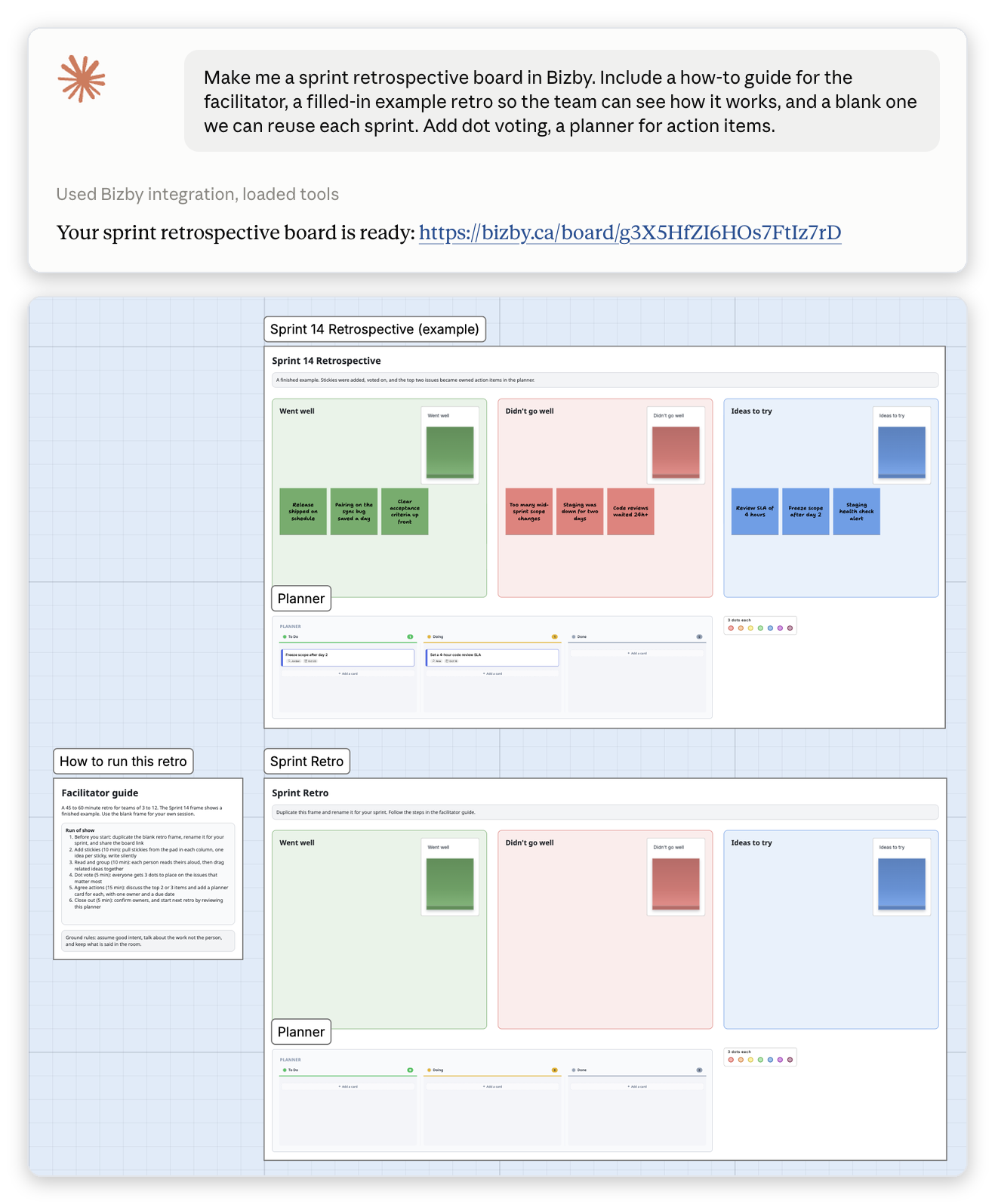
Ask for a sprint retrospective, a flowchart with proper process shapes, a story map, or a Now / Next / Later planner. Claude builds it from Bizby’s own pieces (sticky note stacks, frames, planners, polls, and arrows bound to what they join), so nothing arrives as a picture. It works best in the conversation where you worked the content out, because the board arrives with that content in it instead of placeholders. Paste a board link and Claude adds to that board rather than starting another.
Design in Claude is a Team+ feature, off until a team owner turns it on in Team settings → Integrations. After that, the Design in Claude section of the Kickstart panel walks each person through the one-time setup, with the connector address ready to copy.
Tip: Claude composes the design outside Canada, and the finished board is stored in Canada like every other Bizby board. If your team needs full Canadian data residency, leave the connector off and use Kickstart, which builds boards without the content leaving the country.
Read the Design in Claude docs →
Present a board without leaving it. Your frames become the slides, and everyone on the board can follow along.
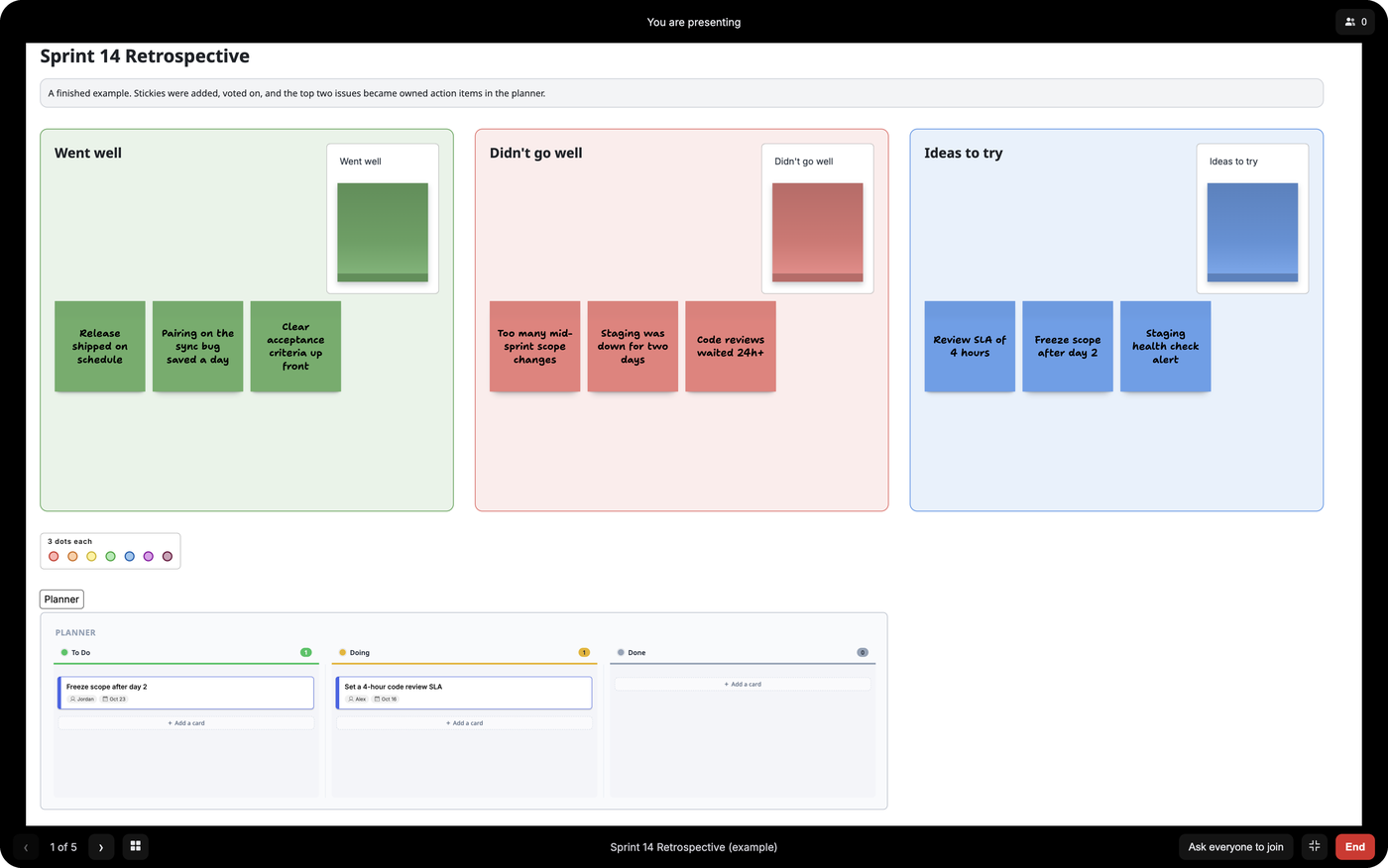
Click Slide show (the play button in the top bar) to open the Presentation panel. Drag frames into order, hide any you would rather not walk through (they stay on the board), and click Present. Each frame fills the screen and the rest of the board goes dark. Everyone else on the board is asked to Join, then follows you frame by frame. The board stays live underneath, so people can still comment, react, and vote on what you are showing.
Tip: Open the People menu while presenting to hand over to a colleague. If a presenter steps away, anyone following along who can edit the board can take control, so the room is never stuck on one slide.
Read the Presentation Mode docs →
Also this month: A History tab in the Shapes panel records edits as you work, including changes made through a share link, and keeps them for 30 days, so a cleared board can be restored. PDF export now covers the whole board or any selection, on a page shaped to the content so nothing is cut across a page edge. Export poll and dot vote results, or everything written in a frame with its votes beside it, to CSV. Miro Import is out of beta: search your Miro boards or paste a link, and boards filed in a Space now show up. Google Workspace links become branded cards that work on private files. A frame’s Filter menu lets you show, hide, or lock its shapes by type. A Planning summary panel shows how each planner on the board is tracking. Boards read properly to a screen reader in English and French, and the template library, board menus, and guided tours are now in French too. Plus boards stay smooth with 100 or more people working at once.
For enterprise administrators: an Organisation insights tab for adoption, activity, and external sharing; the audit log streamed to Microsoft Sentinel or any SIEM, or to Slack or your own webhook; a provisioning API for joiners, movers, and leavers; and a switch to turn AI off for the whole organisation.
See all monthly issues in the Newsletter archive, or browse the full release timeline in What’s New.