 Features / AI Features
Meeting Import
Your meeting already happened. Somewhere in that transcript are the decisions you made, the tasks you handed out, and the questions you left open — buried in a wall of text nobody is going to reread. Meeting Import digs them out and turns them into a working board.
Paste or upload the transcript your call produced, pick what you want, and Bizby AI reads the whole conversation for you: to-dos and decisions become cards, themes and the full transcript become documents, and a tabbed Meeting Brief carries the summary — all inside one tidy Meeting frame. No bot joins your call and no audio ever reaches Bizby. You bring the words; Bizby does the reading.
Import a transcript
Section titled “Import a transcript”- Open the Group Interactions menu in the toolbar and choose Meeting. (New to your bar? The + picker points you straight to it.)
- Paste the transcript, or upload the file your meeting export gives you:
.vtt(Teams, Zoom),.txt, or.docx(Google Meet saves its transcript as a Google Doc, so just download it and upload the.docx). - Tick the extras you want — To-dos, Decisions, Themes, and Summary. (The full transcript is always added to the Meeting Brief.)
- Hit Generate board and watch it assemble in real time.
A minute later you have a board to work from instead of a document to wade through.
What lands on the board
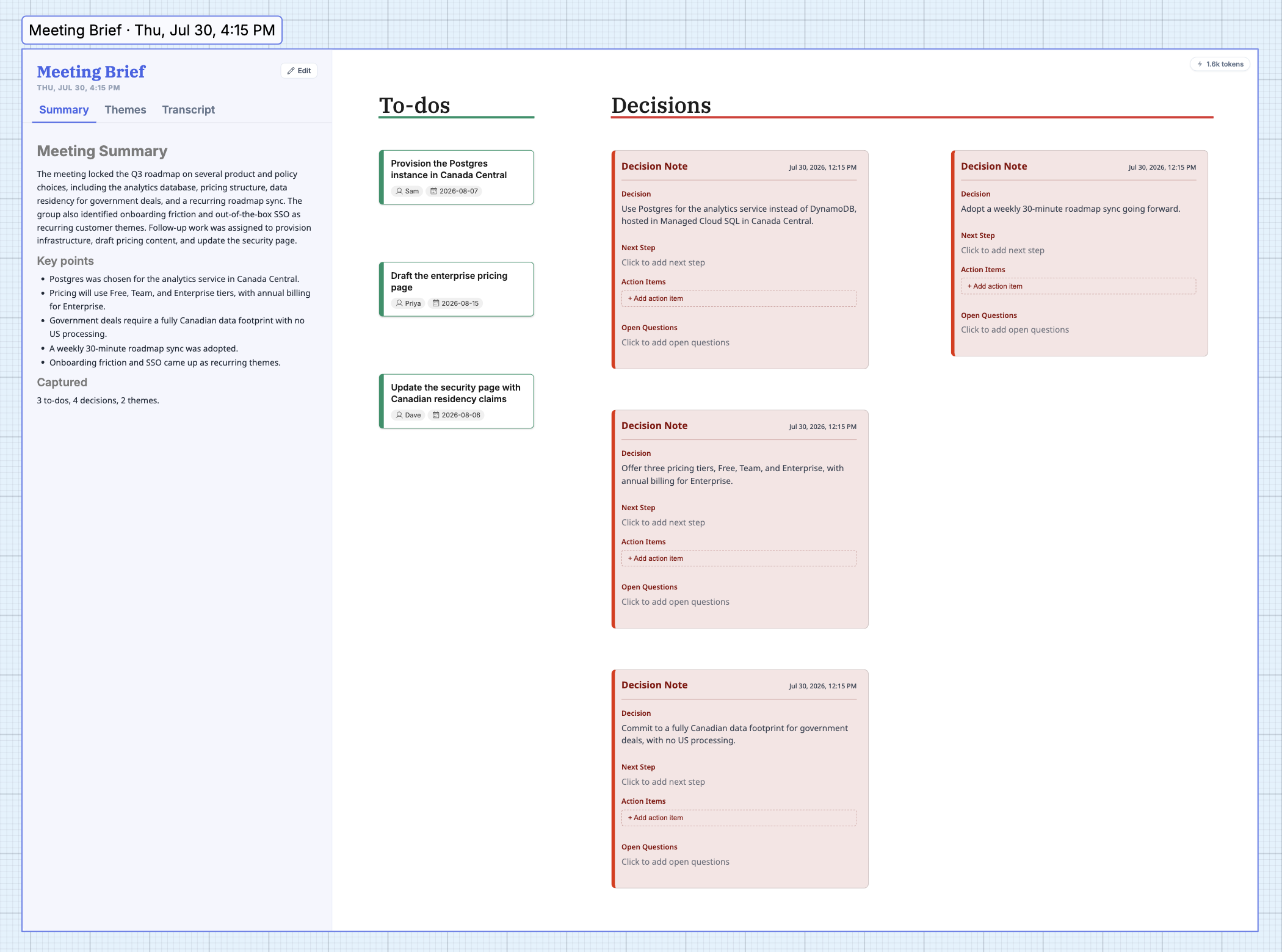
Section titled “What lands on the board”Everything arrives inside a single Meeting frame, so it moves, renames, and tidies as one unit:
- To-dos become cards — with an owner and due date wherever the conversation made them clear.
- Decisions become decision notes, each carrying its next step and any open questions.
- Themes and the full Transcript become documents you can reopen anytime.
- Every card stays fully editable, and any to-do can be dragged onto a Planner to turn talk into tracked work.
The Meeting Brief
Section titled “The Meeting Brief”Anchored to each meeting frame is a Meeting Brief panel with tabs for Summary, Themes, and Transcript. The summary is a tight recap plus a count of what was captured — it doesn’t re-list your to-dos and decisions, since those already live as cards on the board. A badge in the corner shows exactly how much AI the import used.
Find anything, across every meeting
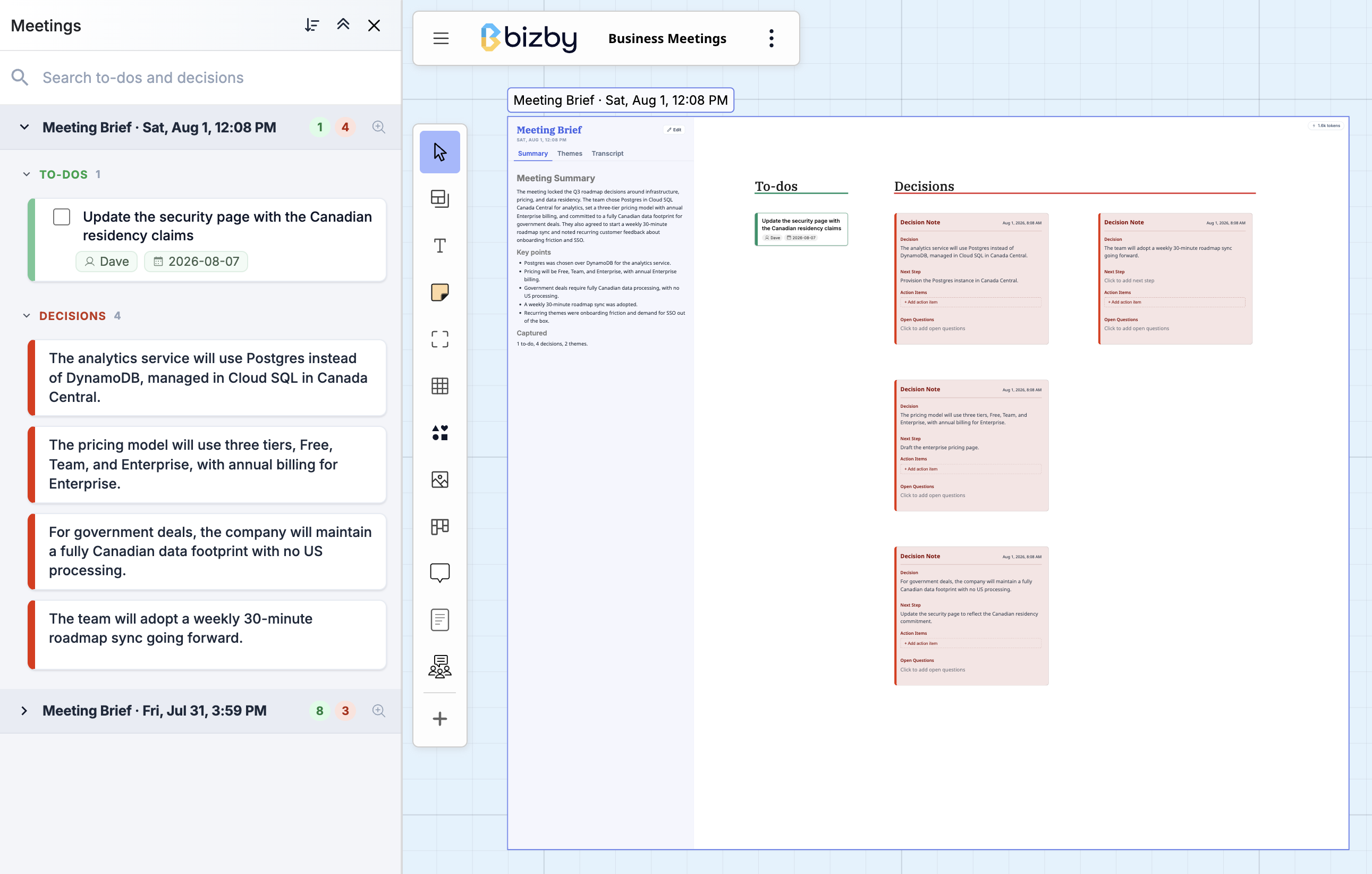
Section titled “Find anything, across every meeting”Run a few meetings and the board fills up fast. Open the Meetings panel from the board’s tools (kebab) menu to see them grouped, each with its to-dos and decisions. Start typing and it filters instantly across to-do titles and owners and decision statements, next steps, and open questions — so “what did we decide about pricing?” is two seconds away instead of a scroll-hunt.
Availability
Section titled “Availability”Meeting Import is a Team+ feature and runs on your team’s AI credits (the dialog tells you before you generate). It’s built for teams that can’t send their conversations just anywhere: you supply the transcript, so no meeting audio and no third-party bot ever touch your call.