 Features / Collaboration
Interactive Poll Component
Overview
Section titled “Overview”The Poll component allows you to create interactive polls directly on your Bizby boards, making it easy to gather team input and make collaborative decisions without leaving your workspace.
Key Features
Section titled “Key Features”- Direct Board Integration - Add polls anywhere on your canvas
- Real-time Voting - Team members can vote and see results instantly
- Visual Results - Poll results are displayed clearly on the board
- Easy Creation - Simple interface to create questions and answer options
How to Use
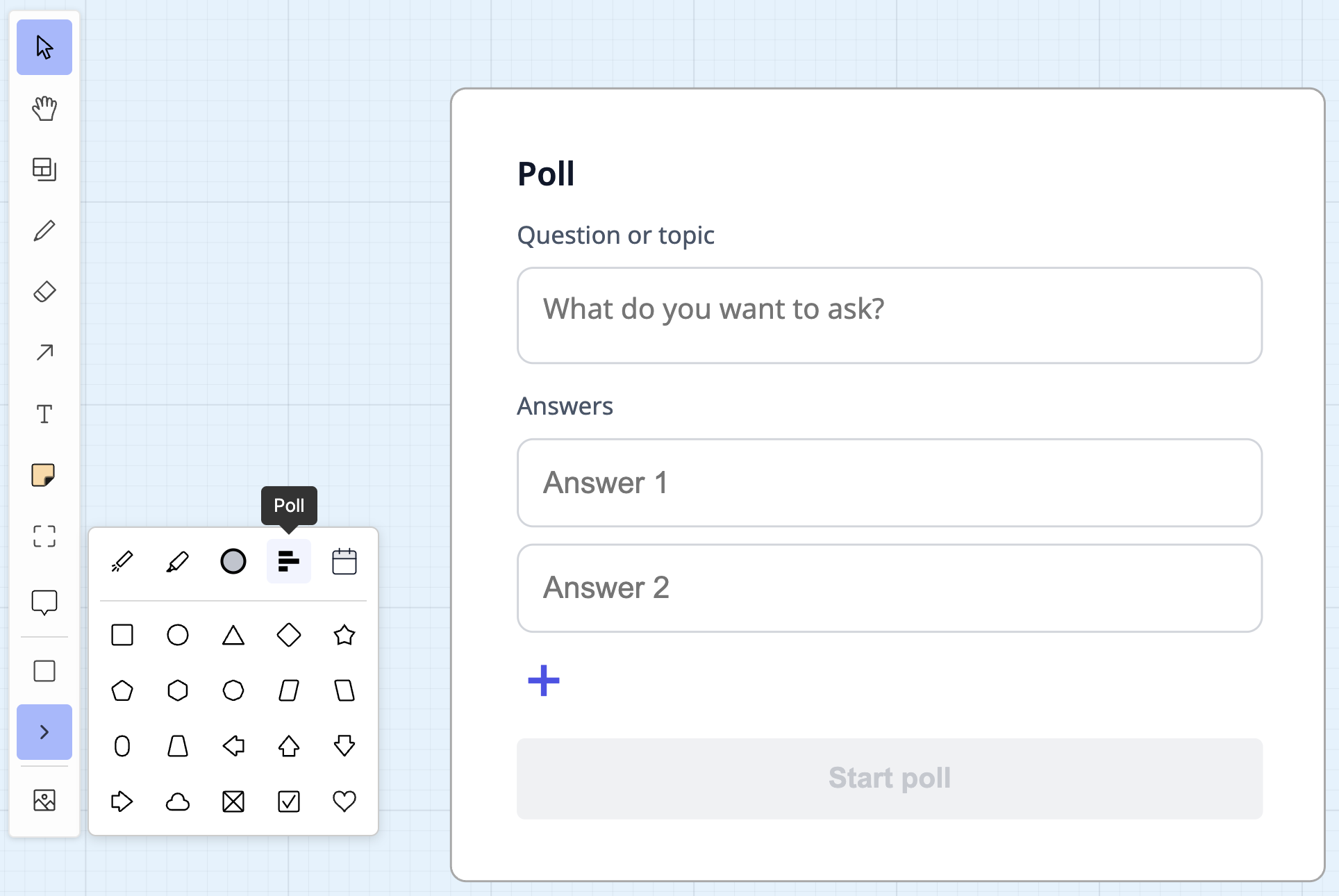
Section titled “How to Use”- Click the Poll option from the ‘More Tools’ toolbar button on an active board
- Drop the poll onto your board
- Enter your poll question
- Add answer options (2 or more)
- Click ‘Start Poll’
- Team members can now vote directly on the board
AI-Powered Poll Creation
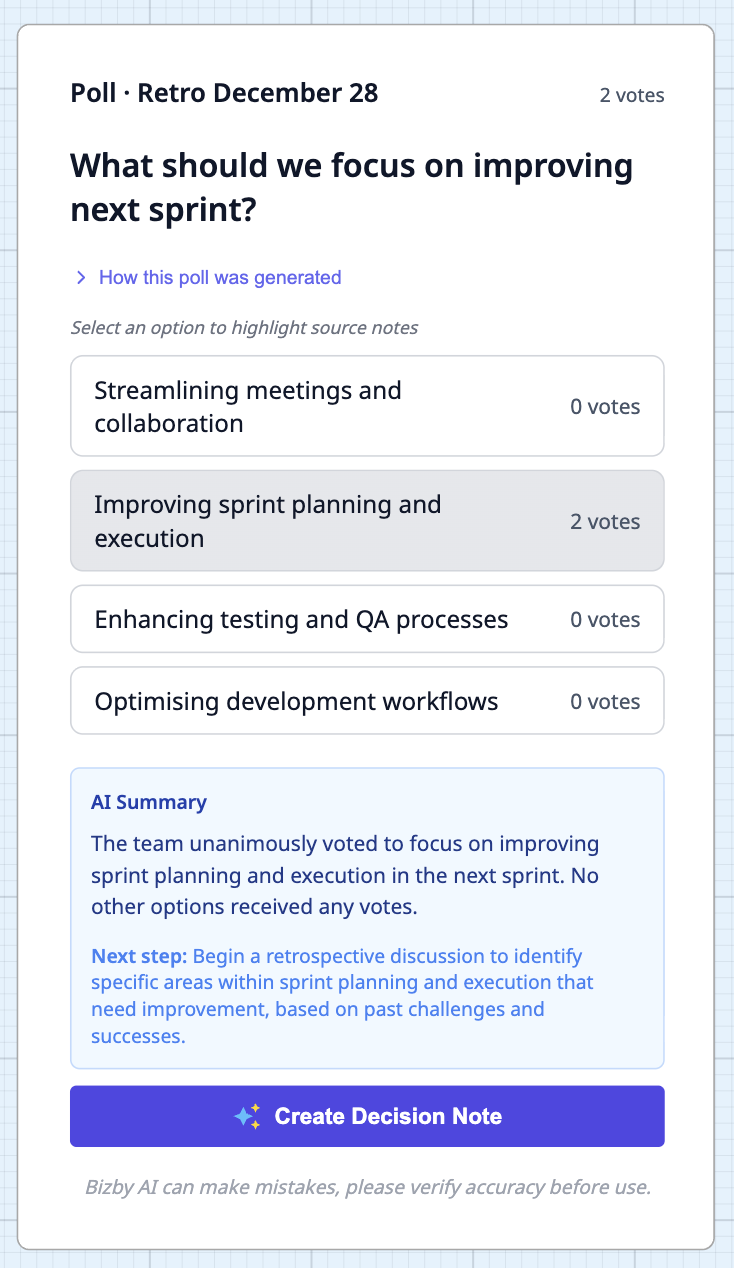
Section titled “AI-Powered Poll Creation”You can also use Bizby AI to generate poll questions automatically:
- Select a frame with sticky notes
- Choose Bizby AI > Create Poll from the context toolbar
- AI will analyze the content and suggest relevant poll questions and answers
Use Cases
Section titled “Use Cases”- Team Decisions - Vote on project directions or feature priorities
- Retrospectives - Gather feedback on what went well or needs improvement
- Quick Surveys - Get instant team input on any topic
- Meeting Facilitation - Run interactive polls during team meetings
Related Features
Section titled “Related Features”- Bizby AI - AI-powered collaboration features including poll generation
- Board Version Control - Save versions before and after important polls