 Features / Board Tools
Recover Deleted Shapes
When anyone deletes shapes on a board, Bizby keeps a record so they can be brought back later. The Deleted tab in the Shapes panel lists what’s been removed and lets any editor restore it — so an accidental deletion isn’t stuck with whoever made it.
This complements two existing tools: Undo (Cmd/Ctrl+Z) for reversing your own most recent action, and Board Version Control for rolling the whole board back to a saved state. The Deleted tab sits in between — per-shape recovery that any editor can reach, at any time within the retention window.
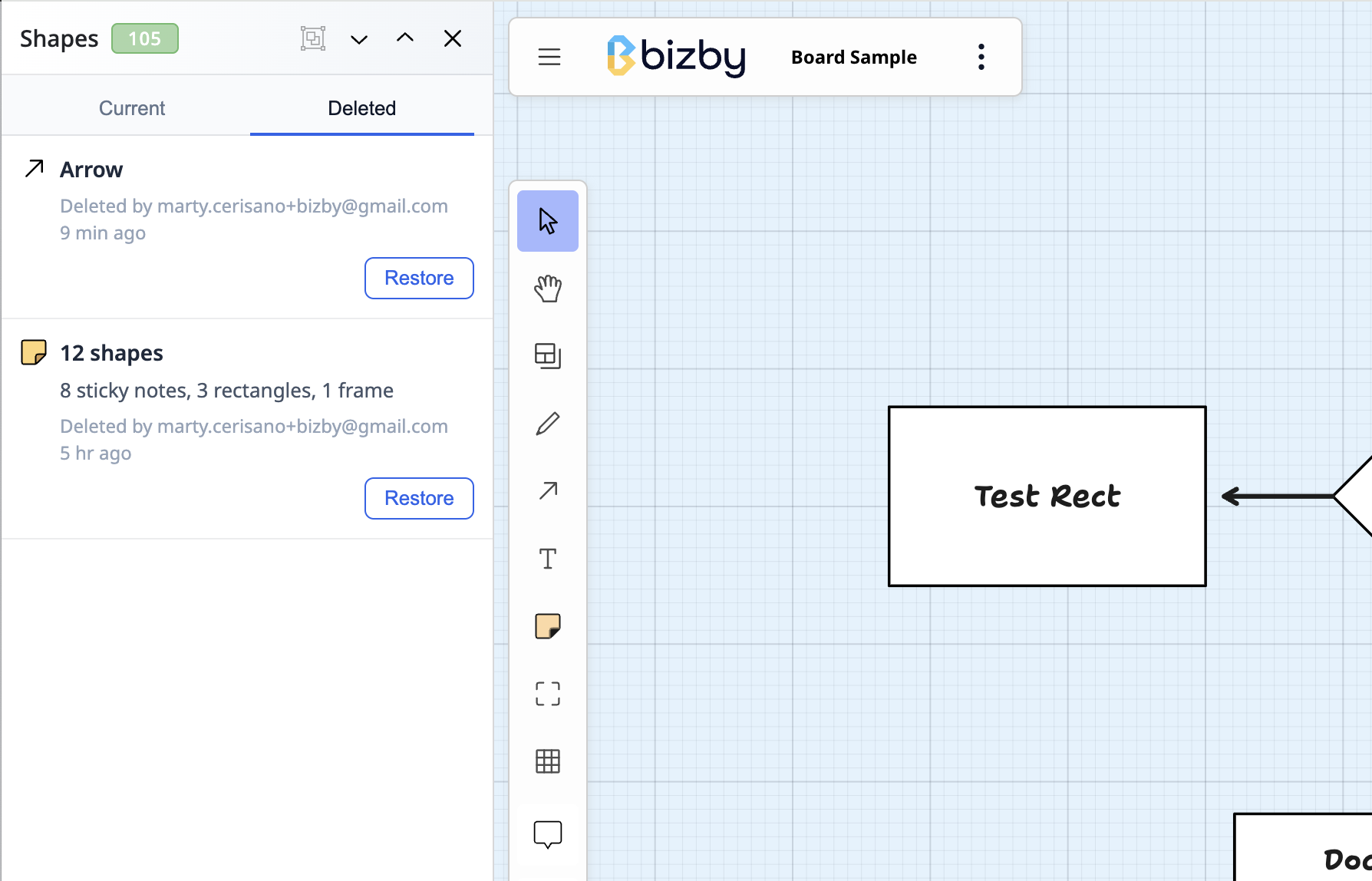
Opening the Deleted tab
Section titled “Opening the Deleted tab”Open the Shapes panel, then switch from the Current tab to the Deleted tab. The tab is available to editors and owners; viewers (read-only access) don’t see it.
What each entry shows
Section titled “What each entry shows”Every deletion appears as a card with:
- An icon and the specific shape name — Rectangle, Decision, Sticky note stack, and so on
- A detail line: the shape’s text or size, or for a multi-shape deletion a breakdown like “2 notes, 1 arrow”
- Deleted by whom, and how long ago
A single deletion that removed several shapes at once is grouped as one entry, so it restores as a unit.
Restoring
Section titled “Restoring”Click Restore on an entry. The shapes return to the board, get selected, and the canvas zooms to frame them so you can see exactly what came back. Because restore flows through normal board sync, everyone collaborating sees the shapes reappear.
Entries that have been brought back another way — undone with Cmd/Ctrl+Z, or already restored — drop off the list automatically, so the Deleted tab only ever shows things that are currently missing from the board.
Retention
Section titled “Retention”Deleted items are kept for 30 days, after which they’re cleared automatically. Each board also keeps only its most recent deletions, so the list stays focused on what you’re likely to want back.
- If you restore a shape whose connecting arrow was deleted separately and isn’t being restored, the shape comes back without that connection rather than with a broken link.
- Restored shapes return to their original position on the board.