 Features / Canvas & Real-time
Slide Layouts
Need a deck? Don’t leave the board. The Frame tool now opens a gallery of PowerPoint-style slide layouts that drop a ready-to-edit 16:9 slide onto the canvas — title, bullets, and all — already styled. Line a few up and you have a presentation, right where you’re already working.
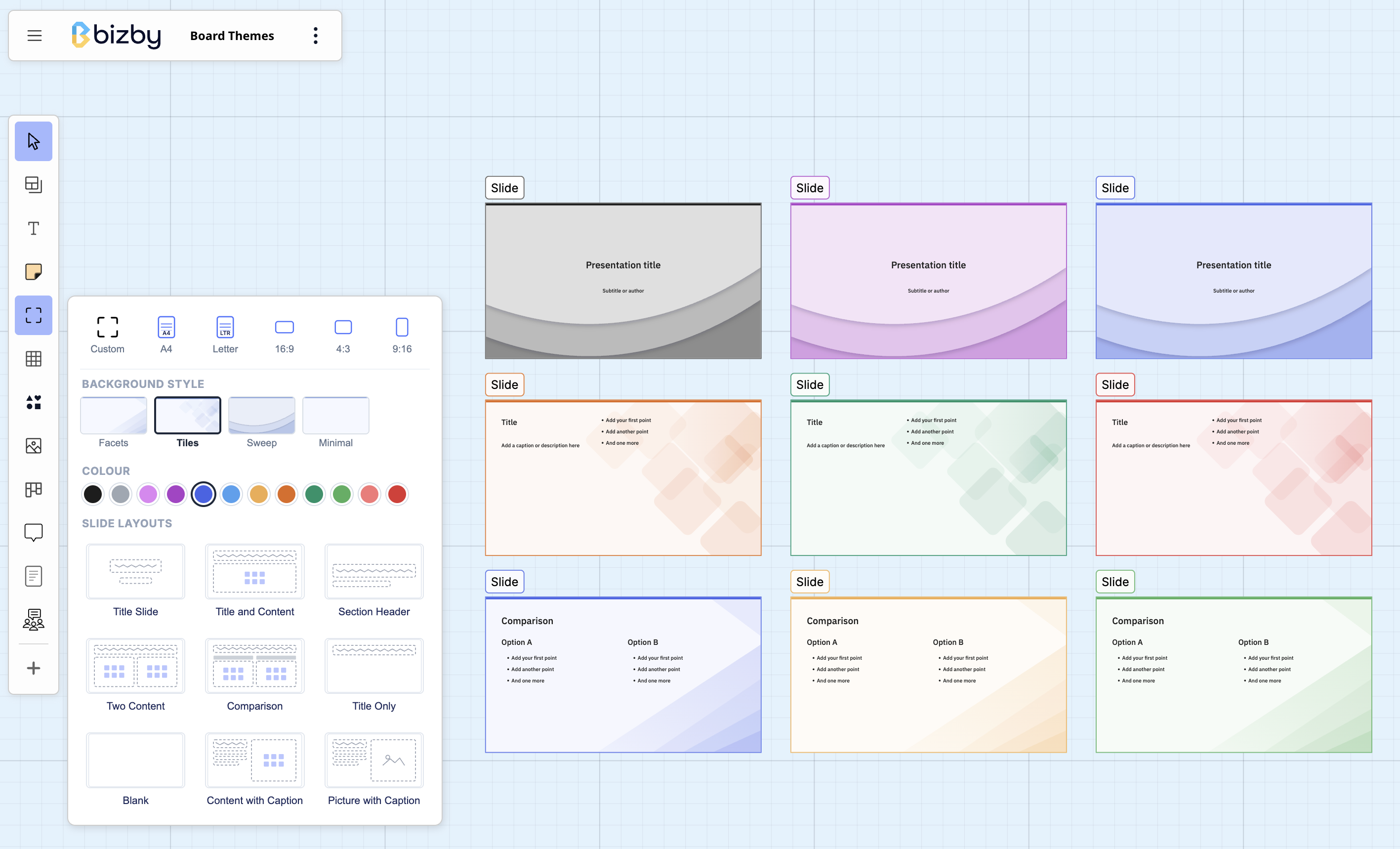
Add a slide
Section titled “Add a slide”Open the Frame tool in the toolbar. The menu has three parts:
- Background style — pick the look: Facets, Tiles, Sweep, or Minimal.
- Colour — pick from the built-in palette. The slide’s accent and background tint follow this colour.
- Slide layouts — pick a layout and click the canvas to drop the slide.
Every slide is a real 16:9 frame, so it moves, resizes, and clips like any frame — and presents like a slide.
Layouts
Section titled “Layouts”The gallery mirrors PowerPoint’s, so it’s instantly familiar:
- Title Slide — a centered title and subtitle.
- Title and Content — a title with a bulleted body.
- Section Header — a section title with a short description.
- Two Content — a title over two bullet columns.
- Comparison — a title with two labeled columns (heading + bullets each).
- Title Only — just a title.
- Content with Caption — a caption on the left, a bullet body on the right.
- Picture with Caption — a caption on the left, a picture placeholder on the right (drop an image onto it).
- Blank — an empty 16:9 slide.
Everything on a slide is a normal, editable text object — click in and type. To-do-style bullets are real lists: press Enter for the next bullet.
Bullets and numbered lists
Section titled “Bullets and numbered lists”Editing text on a slide (or anywhere) shows a formatting toolbar with bold, italic, highlight, link, and both bulleted and numbered lists — so you can restructure a slide’s body however you like.
Style and colour
Section titled “Style and colour”The background style sets the design language and the colour sets the palette — they’re independent:
- Facets — angular geometric planes.
- Tiles — overlapping translucent rounded diamonds.
- Sweep — layered sheets with soft drop shadows.
- Minimal — a clean accent rule, nothing more.
Because the accent and tint come from the frame’s colour, you can recolor a slide anytime from the frame’s colour picker and the whole background re-themes to match.
Present it
Section titled “Present it”Slide frames work with Presentation Mode — frames are presented as slides, so a row of slide layouts becomes a deck you can run start to finish, no export required.