 Features / Shapes & Drawing
Custom Colors & Enhanced Color Picker
Overview
Section titled “Overview”The enhanced color system gives you complete control over the appearance of your boards. Use brand colors, custom palettes, or any color you can imagine with full hex code support.
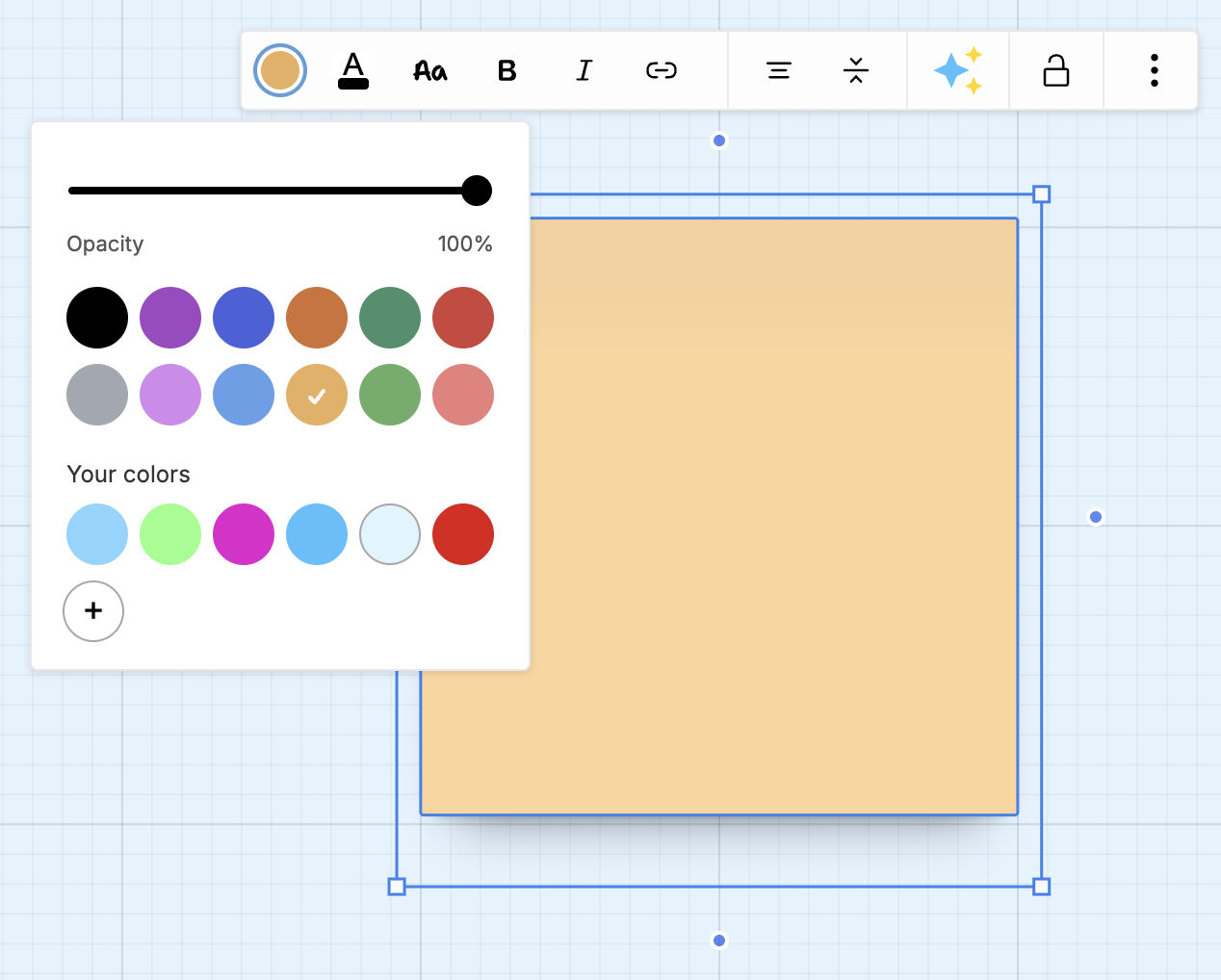
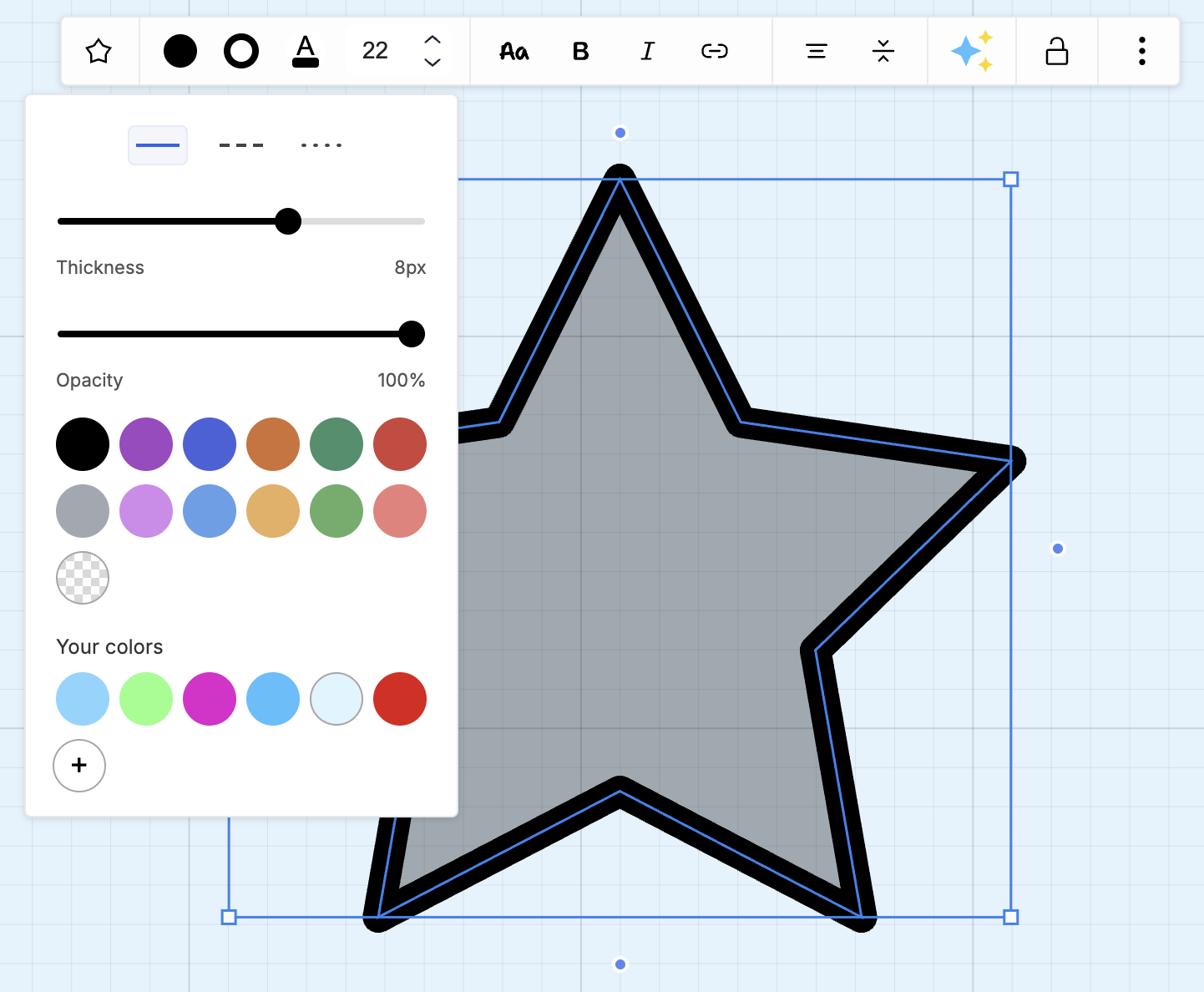
Key Features
Section titled “Key Features”Custom Color Selection
Section titled “Custom Color Selection”- Hex Code Input - Enter any color using hex codes (#FF5733)
- Color Picker - Visual color picker for precise selection
- Recent Colors - Quick access to recently used colors
- Default Palette - Curated color options for quick selection
Enhanced Controls
Section titled “Enhanced Controls”- Fill Colors - Customize background colors for shapes and notes
- Border Controls - Show or hide shape borders
- Border Colors - Separate control for border colors
- Text Colors - Custom colors for text elements
Color Memory
Section titled “Color Memory”- Recent History - Automatically tracks your recent color choices
- Cross-Session - Recent colors persist across sessions
- Per-User - Each team member has their own recent colors
How to Use
Section titled “How to Use”Applying Custom Colors
Section titled “Applying Custom Colors”- Select a shape, note, or text element
- Click the color button in the context toolbar
- Choose from:
- Default palette - Quick preset colors
- Recent colors - Your recently used colors
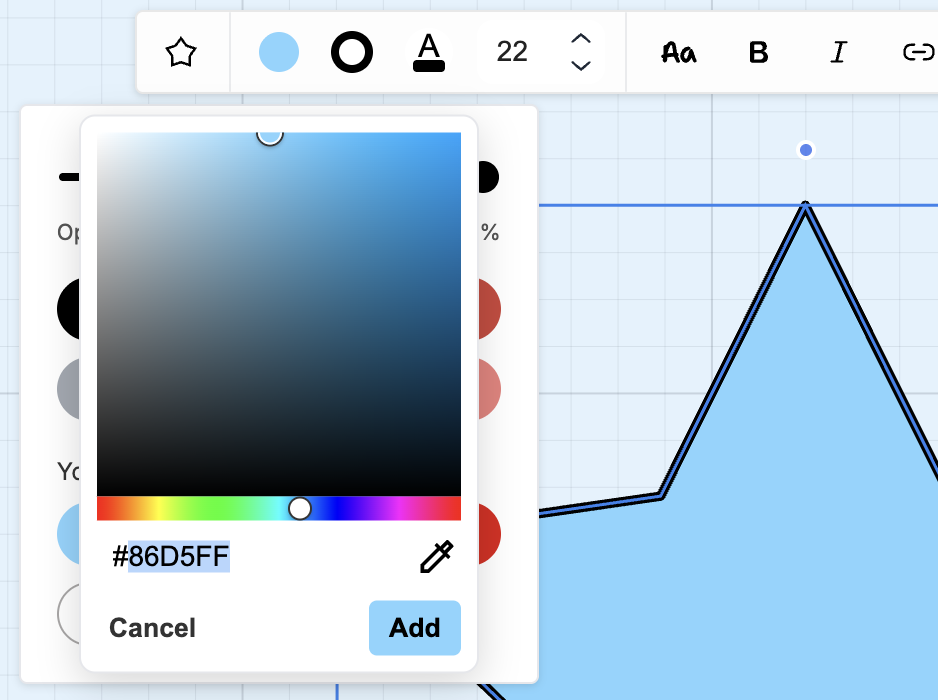
- Custom - Enter hex code or use color picker
Using Hex Codes
Section titled “Using Hex Codes”- Open the color picker
- Click the hex input field
- Enter your hex code (e.g.,
#4A90E2) - Press Add to apply
Managing Borders
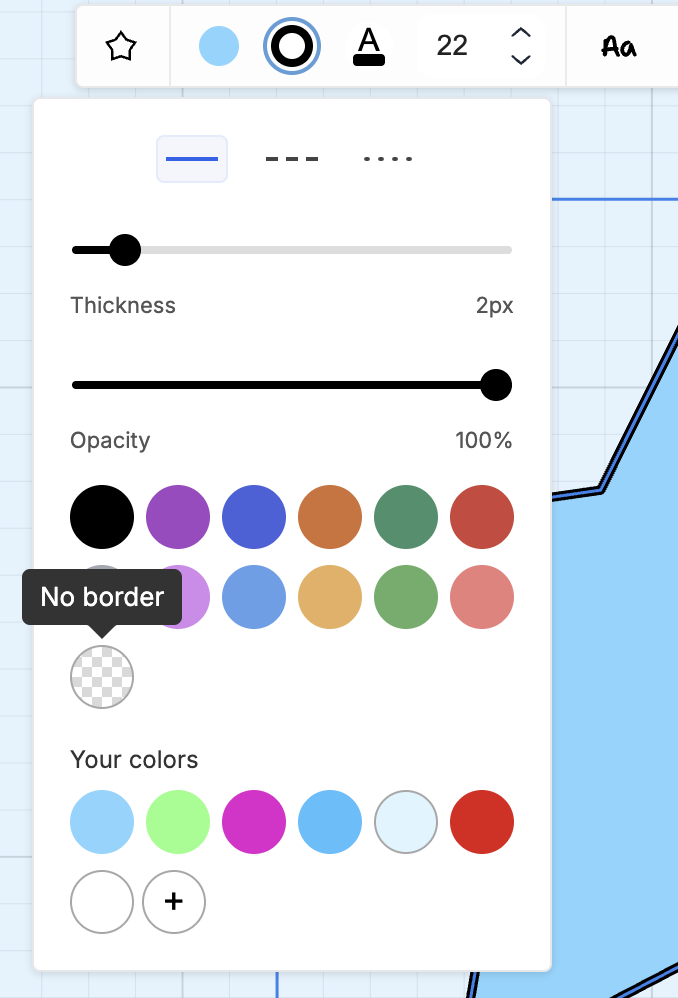
Section titled “Managing Borders”- Select a shape
- Select the Border settings button
- Select No border swatch to hide the border for the selected shape
Use Cases
Section titled “Use Cases”Brand Consistency
Section titled “Brand Consistency”Maintain your brand identity:
- Enter brand colors using hex codes
- Save frequently used brand colors to recent history
- Apply consistent colors across all boards
Visual Organization
Section titled “Visual Organization”Use color coding for clarity:
- Color-code by topic or category
- Distinguish different work streams
- Highlight priorities or status
Design Mockups
Section titled “Design Mockups”Create polished designs:
- Match design system colors exactly
- Use custom colors for prototypes
- Create branded presentations
Color Best Practices
Section titled “Color Best Practices”Common Color Schemes
Section titled “Common Color Schemes”Status Indicators
Section titled “Status Indicators”- Red (#E53E3E) - Blocked/Critical
- Yellow (#ECC94B) - In Progress/Warning
- Green (#38A169) - Complete/Success
- Blue (#3182CE) - Information
- Gray (#A0AEC0) - On Hold
Priority Levels
Section titled “Priority Levels”- High Priority - #F56565 (Red)
- Medium Priority - #ED8936 (Orange)
- Low Priority - #48BB78 (Green)
Related Features
Section titled “Related Features”- Features - See all Bizby features
- Bizby AI - AI-powered content transformation
- Poll Component - Create interactive polls