 Features / Collaboration
Interactive Questions
Overview
Section titled “Overview”Questions are interactive shapes that participants answer from their phones. Add a question to your board, share the QR code or link, and watch responses appear in real time. Four question types are available: Word Cloud, Yes/No, Rating, and Priority Matrix.
Word Cloud
Section titled “Word Cloud”Collect open-ended responses that form a real-time word cloud. More frequent answers appear larger.
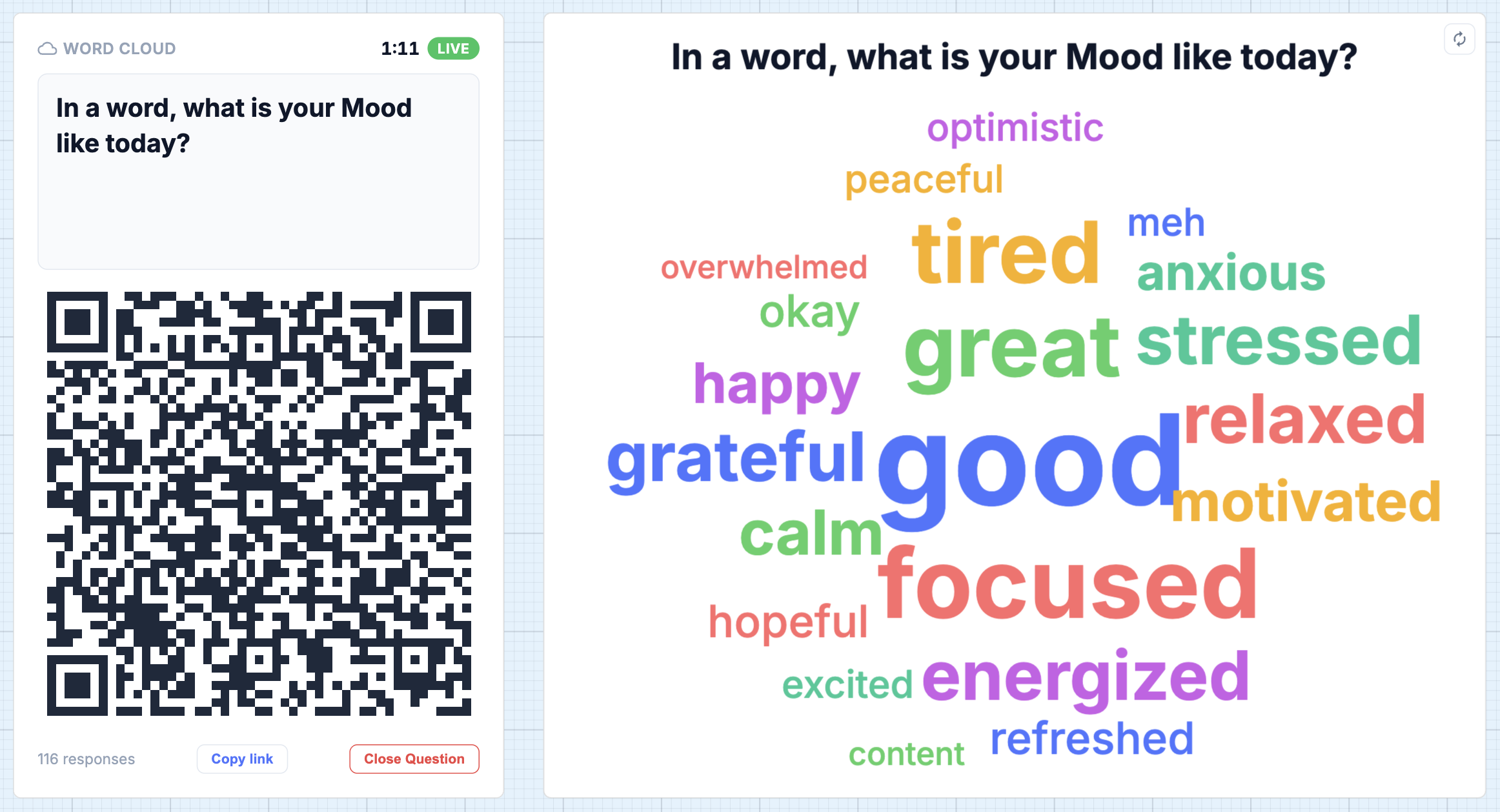
- Real-time word cloud visualization as responses come in
- Density control to adjust how tightly words are packed
- Export the word cloud as SVG for use in presentations or reports
Yes/No
Section titled “Yes/No”Ask a binary question and see live results as participants respond.
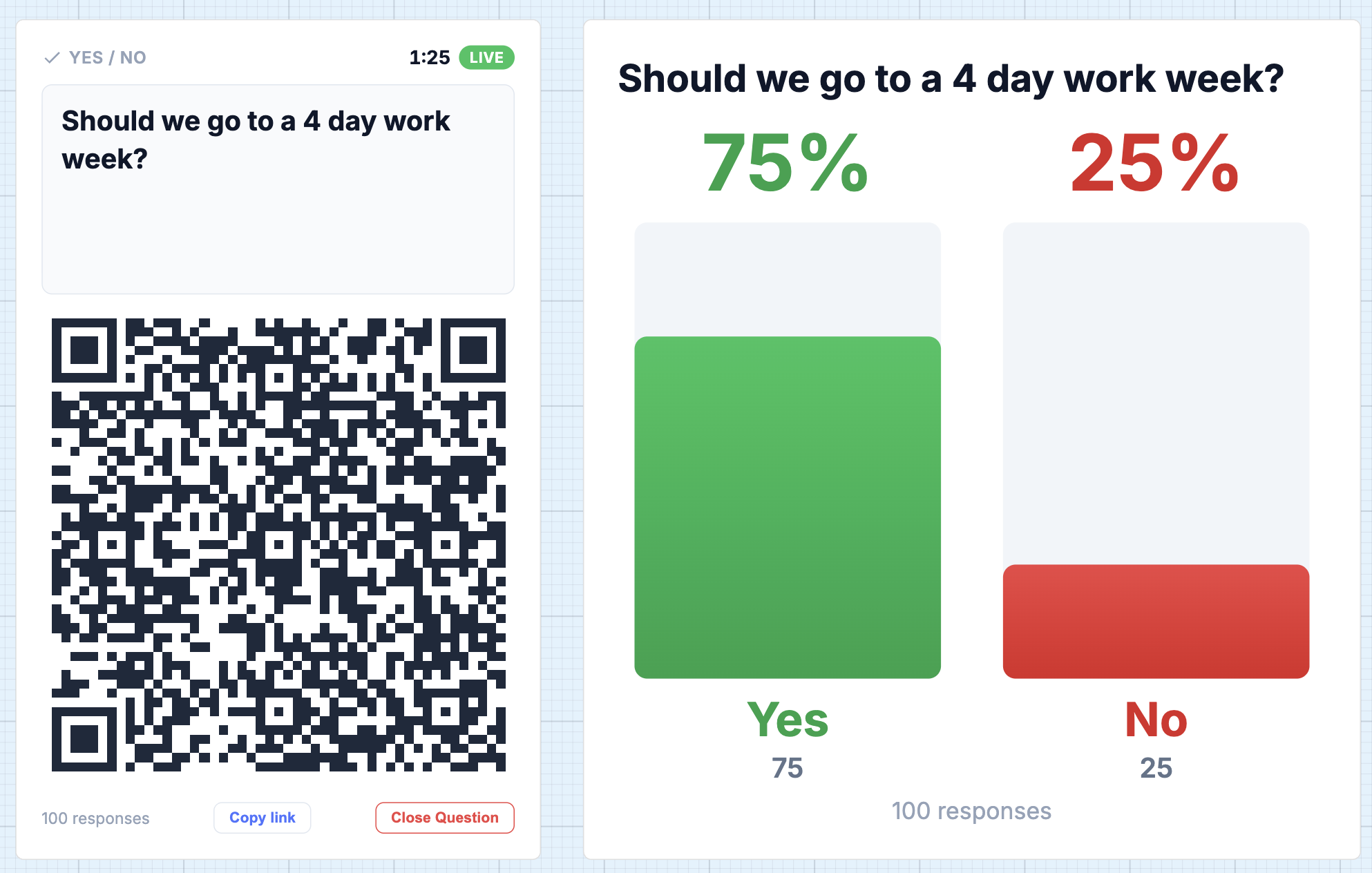
- Live results card showing yes/no percentages
- Response count updates in real time
Rating
Section titled “Rating”Collect scale-based ratings from participants with a live average.
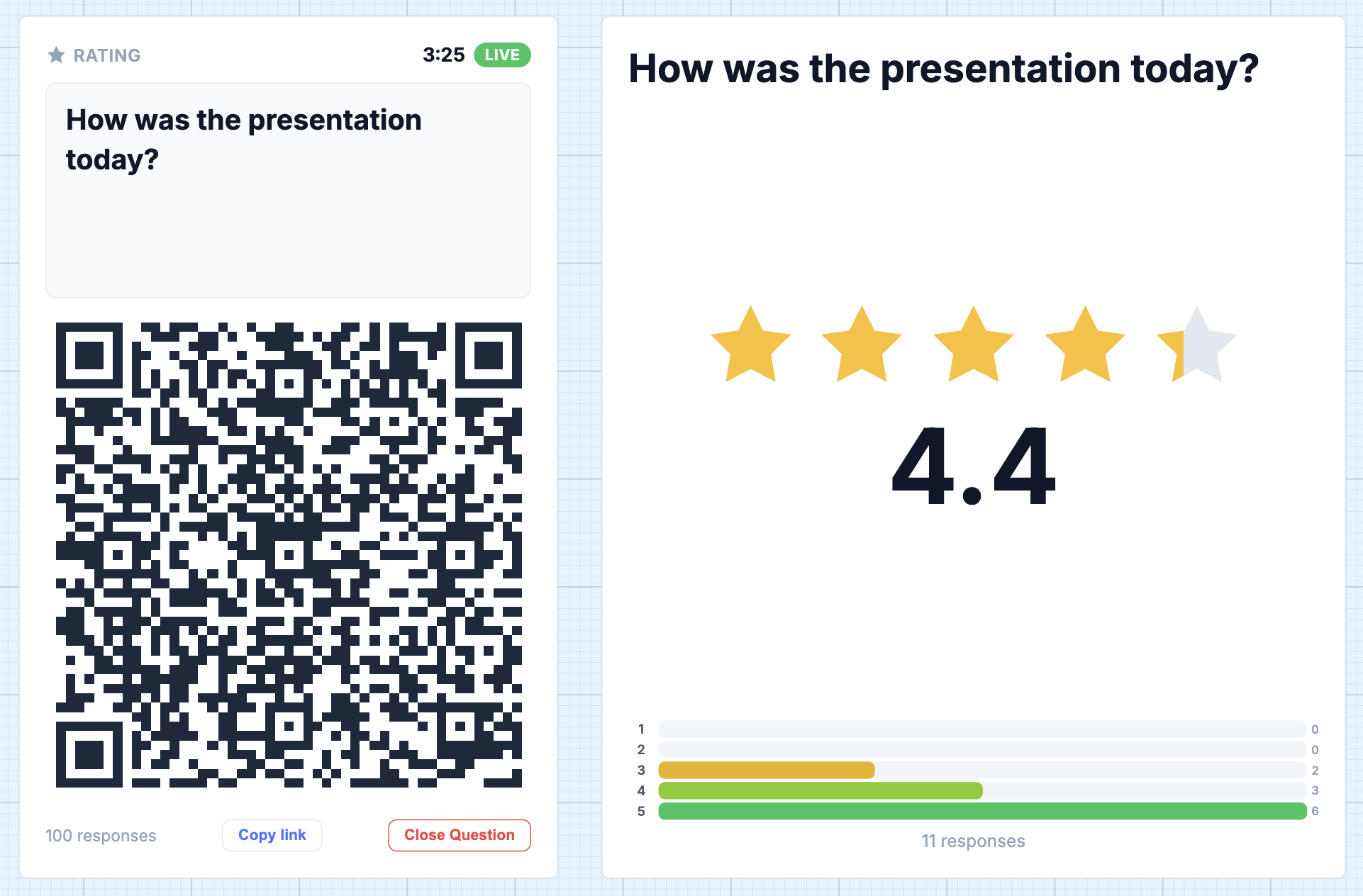
- Configurable rating scale
- Live results card showing the running average and response distribution
Priority Matrix
Section titled “Priority Matrix”Have participants rate initiatives on two axes (e.g. Effort vs Impact) and see results plotted on a 2×2 matrix.
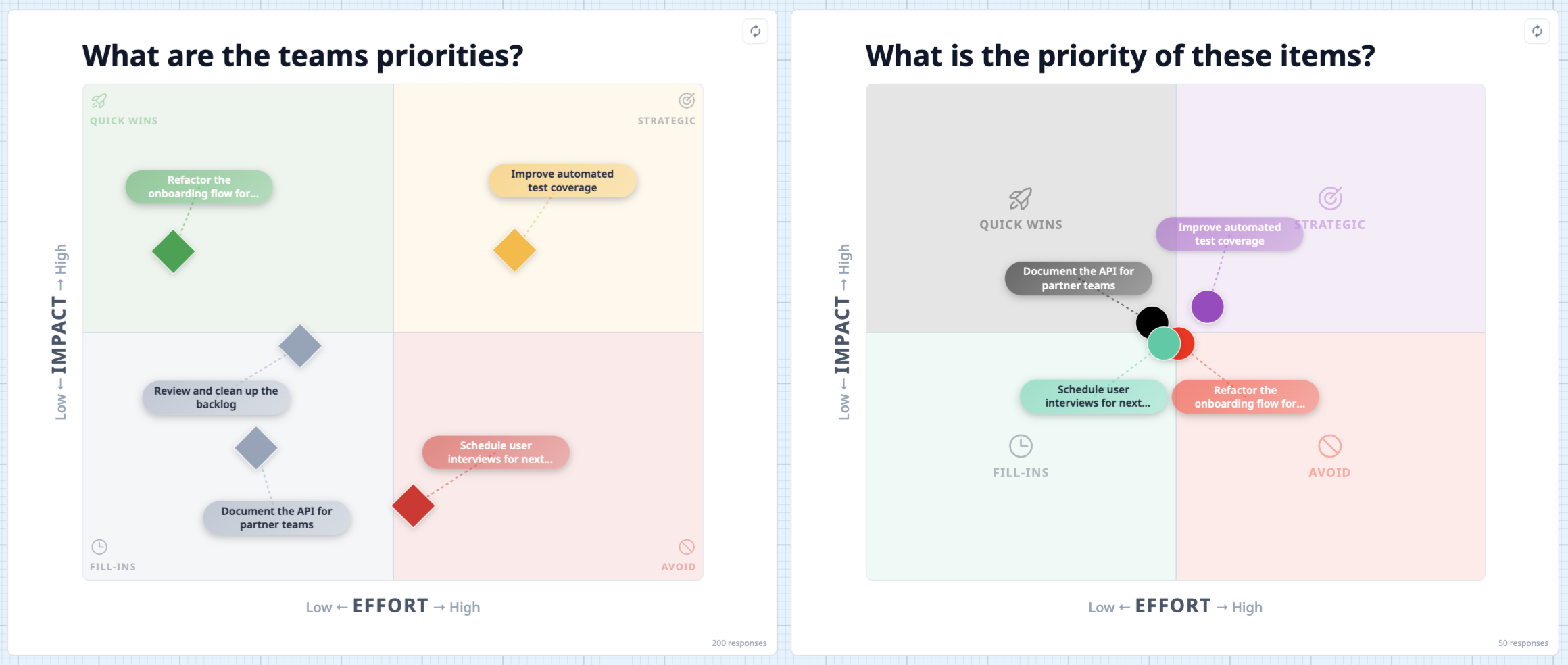
- Participants rate each initiative on both axes from their phone
- Results are plotted as dots on a 2×2 quadrant chart (Quick Wins, Strategic, Fill-ins, Avoid)
- Customizable axis labels, quadrant names, colors, dot shapes, and label sizes
- Draggable pill labels — click and drag any label to reposition it on the chart
- Flip the card to access settings and view individual responses
How to Use
Section titled “How to Use”- Click the Interactive Questions button (people icon) in the sidebar toolbar
- Select the question type: Word Cloud, Yes/No, Rating, or Priority Matrix
- Click on the canvas to place the question shape, then enter your question or title
- For Priority Matrix, add the initiatives you want participants to rate
- Participants scan the QR code or open the share link on their phone
- Responses appear live on the board as they come in
Data Residency
Section titled “Data Residency”For teams with Canadian data residency enabled, all question responses route through Canadian infrastructure (Fly.io Toronto). See Canadian Infrastructure for details.
Related Features
Section titled “Related Features”- Interactive Poll Component - Multi-option polls for team decision-making
- Dot Voting - Quick visual voting for prioritization
- AI Decision Notes - AI-generated summaries of poll and voting results